Huh? This one is hard to explain. I have to show it, using my top card “custom button,” a great question from a colleague in South Africa. Here’s a visual, ther than a wordy, explanation of what she is referring to:
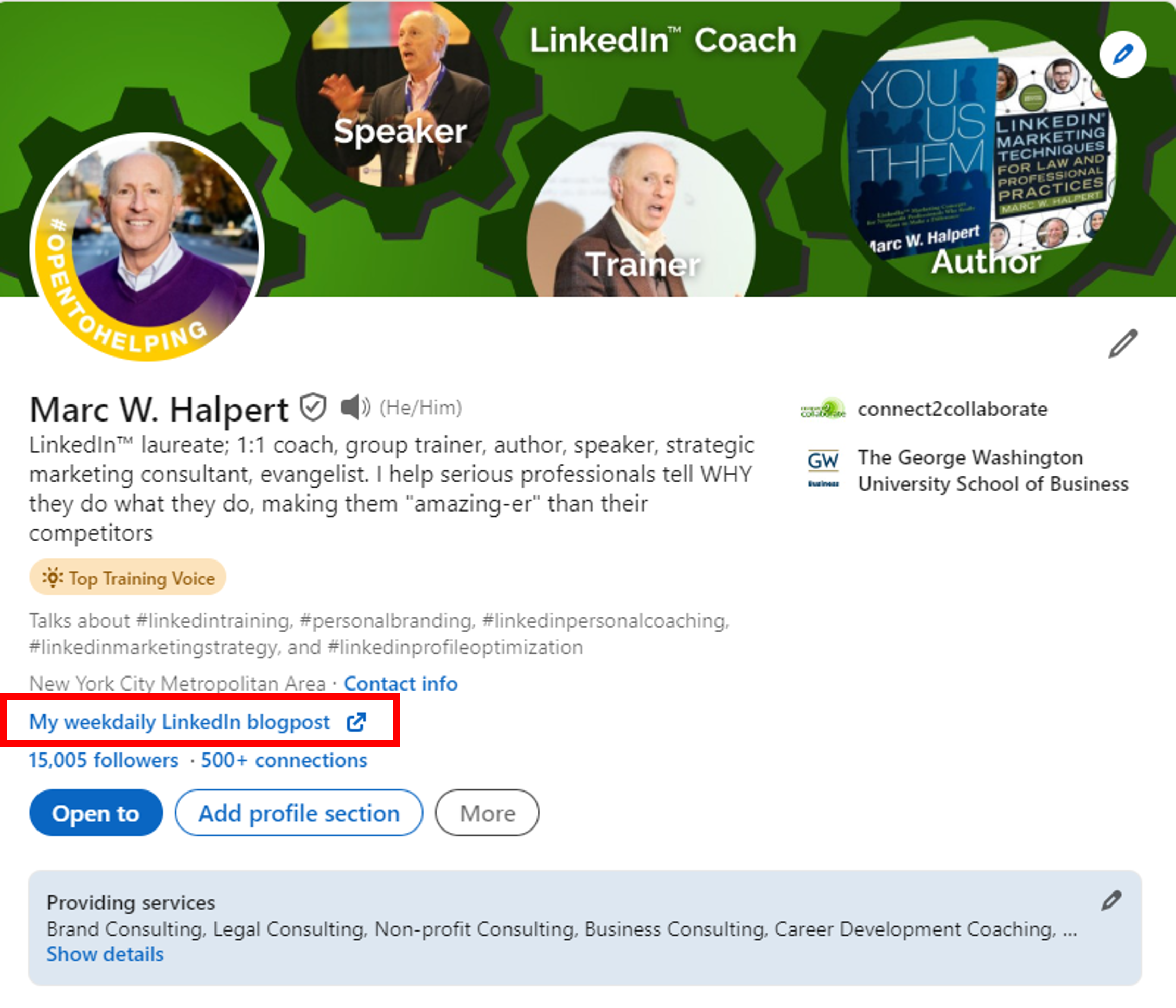
Here are the steps to adding or editing yours:
1. click the pencil at top right corner of your top card (that large white field at very top of your profile)
2, click “edit intro.”
3. scroll down to the bottom section called Custom Button and click “edit custom button”
5. key in the URL including “https://www.” etc.
6. name it as you want it to appear.
Venture forth my readers, add the most important link you want people to know about to appear prminently at the top of your profile. Consider changing it from time to time as your needs and ideas change.
Use every opportunity to show your work and brand yourself further.
And albeit my suggestion above that you show your work, my work here on this blog will not show again until January 2, 2024.

The boss gave me next week off. Happy holidays, whatever you celebrate.