
I never claimed to know everything about LinkedIn.
But in full disclosure, I did post a few days ago (in item #5), I said:
What if LinkedIn allowed us to default, at our own doing, to the most recent posts rather than the “top” ones they want us to see? Ahem, “top” is defined as???
I learned how you can make it default to Recent.
Simple steps:
- open Settings and Privacy

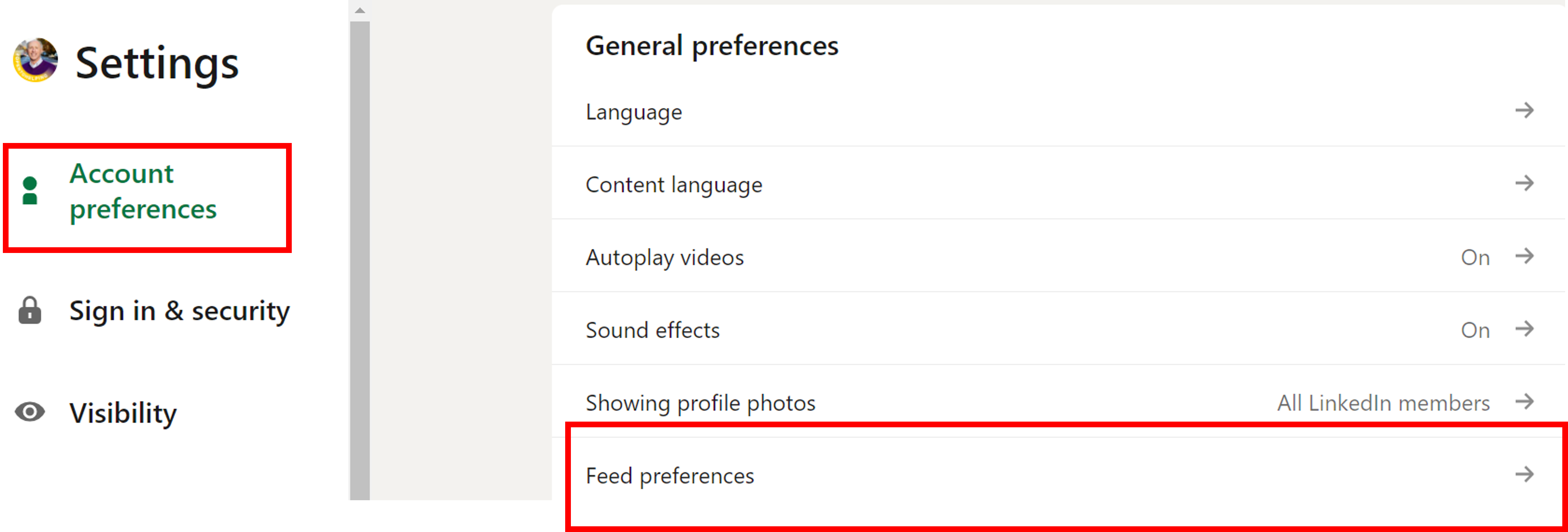
Follow me in the red boxes below:
Start by clicking Account Preferences on the left rail, then in the Feed Preferences bar, click the arrow to the right.
Then you get a choice of most relevant or most recent posts in your feed.
The default is Most Relevant.
I’d rather be the judge, so I changed it (what I had always wished for!) to Most Recent.
TA DA!